The Government of Odisha is implementing the Employment Exchange for both Employers and Job Seekers to promote transparency and efficiency in employment services. Follow the Instructions for Odisha Employment Exchange Registration, Benefits, Renewal, and Required Documents.
What is the Odisha Employment Exchange?
Job Seekers and Employers can register on the Odisha Employment Exchange Portal to Streamline Employability in the State. Candidates can register themselves online through any computer with an internet connection. The minimum age for registration is 14 years, and no maximum age limit has been prescribed by the Board.
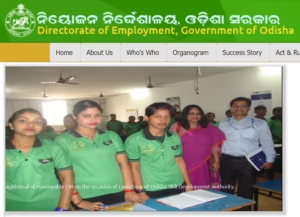
If any candidate possesses the Professional and executive Qualifications can register their names in the Professional and Executive Employment Office of Bhubaneswar, and they can also register in local exchanges.
Eligibility Criteria For Employment Exchange Odisha
- Must be residing in Odisha.
- The minimum age for registration is 14 years, and no maximum age limit has been prescribed by the Board.
- Should possess valid educational qualification certificates.
- Freshers and experienced candidates can apply
- Candidates seeking government or private employment opportunities
Documents Required for Registration
Applicants generally need the following documents:
- A scanned copy of a passport-sized photo(JPG/JPEG) is required to attach to your certificate.
- A scanned copy of the Resident certificate (PDF).
- A scanned copy of the Caste Certificate (PDF).
- Scanned copy of all the Certificates and Marksheets from 10th onwards till your Highest Qualification (PDF).
- If you have any Experience in any sector, then come with a scanned copy of your Experience Certificate (PDF).
General Guidelines for Employment Exchange Registration
- Once a candidate applies for online Registration in the employment exchange through an internet center/common services center, a temporary number will be generated.
- This temporary registration number needs to be validated within 20 days of issue of this temporary number. The candidate has to visit the concerned district employment office with the required documents in original within the due date to validate the same.
- The generated temporary registration number would automatically show the name of the concerned district employment exchange and the date by which the candidate has to visit the D.E.E for authentication of the temporary registration number.
- In case of urgency, the candidate may apply for any vacancy citing the temporary registration number, but the candidate has to visit the District Employment Exchange within the due date to validate; otherwise, the temporary registration number will be cancelled.
- If the last date falls on a govt holiday, it is the responsibility of the candidate to validate it prior to this date on any working day by visiting the District Employment Exchange, or else it will be cancelled.
Procedure for Registration in Employment Exchange Odisha
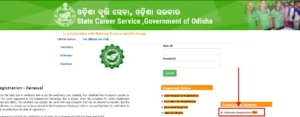
- Visit the official website of the Portal and click on Job Seeker Registration.
- Now read the Declaration given on the Screen and click on the Accept button.
- In the next step, you will have to select the Highest Qualification Level.
- Select Caste (If the user is SC/ST/OBC/SEBC, then He/She should carry the Caste Certificate near the Employment Exchange office)
- Select Disability (if Applicable)
- Now select the District, then the Employment Exchange Office.
- Fill in the personal details page. Here is First Name, Father’s Name, DOB, Gender, E-Mail, and Marital Status are compulsory fields.
- Fill in the ADDRESS fields. If the Temporary and permanent home address is the same, then click on the CHECK-BOX.
- Click on the Proceed Next button. To fill in the Educational Qualification page.
- Fill in the Experience page.
- Fill in the language details page.
- Fill in the Additional Information details page.
- After filling in the willingness details page, click the Next button
- Final Acknowledgement page will appear; click the Submit Button for Final Registration.
Odisha Employment Exchange Renewal
- For the renewal, you will have to visit the Official Website and click on Candidate Renewal
- Now enter the Registration Number and click on the Submit button.
- Re-Check the Details and Submit the Renewal Form.
- You can also modify the Details in your Registration.
ms7938654@gmail.co
Sir employment exchange registration server issue sir
saratmallik12141@gmail.com
I want to register please help me.
I want to register please help me
Ok
Okk
Ok actually it’s very helpful
Is just a website comment box. It is not related to the Employment Exchange registration form and you do not need to fill it for registration.
For the Employment Exchange error, focus on the certificate section in the registration form.
Resident documents box not showing
Employment exchange certificate
Mogotoli
Barabati stadium Cuttack, Orissa
I want job
Apple employment cirtificate
biswajitsahoos335@gmail.com
Employment registration
I want to verify my kyc
I want a job
I want a job
Address-भरोसा का पुरवा अतर्रा ग्रामीण बांदा उत्तर प्रदेश
At-BANGALIDAPA ,PO-Tiadisahi ,