Maharashtra Government is giving Opportunity for skilling, Employment and entrepreneurship through state owned Mahaswayam Portal which integrates Students, Youth, Job Seekers, Employers, Trainers and Entrepreneurs all at one Place. Follow the Instructions Given in the Article for Maharashtra Employment Exchange Registration Guide.
What is Maharashtra Employment Exchange?
Maharashtra Government Provide Employment, Skill Development and Entrepreneurship through the Mahaswayam Portal which provide Opportunities to job seeker tk Register on the Portal and interact with Employers as per their Qualifications. Employment Exchange of Maharashtra Provides a single interface to all the stakeholders to obtain information regarding Skill Training, Job Vacancies and Entrepreneurship.
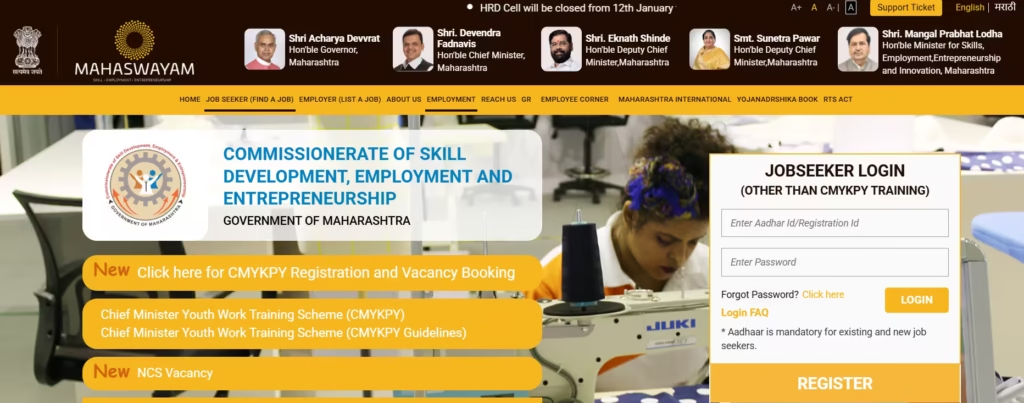
Job fairs are Regularly conducted for job seekers and Employers. Maharashtra Employment Exchange Registered Candidates and Employers can Participate in these Job Fairs with Job Seekers getting on the Spot Employment and Employers get suitable manpower through these Job Fairs. Mahaswayam scheme is applicable in all the Districts of Maharashtra.
Eligibilty Criteria for Job Seekers on Employment Exchange of Maharashtra
- Registering Candidates must be Permanent Resident of Maharashtra.
- Permanent Address and Qualification will be required
- Minimum educational qualification: 8th / 10th / 12th pass (depending on job type)
- Job seekers looking for government or private employment
- Freshers and experienced candidates
Documents Required
- Aadhaar Card
- Residence / Domicile Certificate
- Educational Certificates
- Passport Size Photograph
- Caste Certificate (if applicable)
- Valid Email ID and Mobile Number.
Maharashtra Employment Exchange Registration Online
- Visit the official Employment Exchange Maharashtra.
- Click on “New Registration”
- Fill personal details (name, DOB, contact info)
- Enter your Aadhar Card Details and Verified by OTP.
- Add other Details and Set Password to Complete your Registration Process.
- Submit the application and note your registration number
- Log in to your account to track the status
Offline Registration Steps
- Visit your nearest District Employment Office
- Collect the registration form
- Fill the form carefully
- Submit along with all required documents
- Collect the acknowledgment slip/receipt.